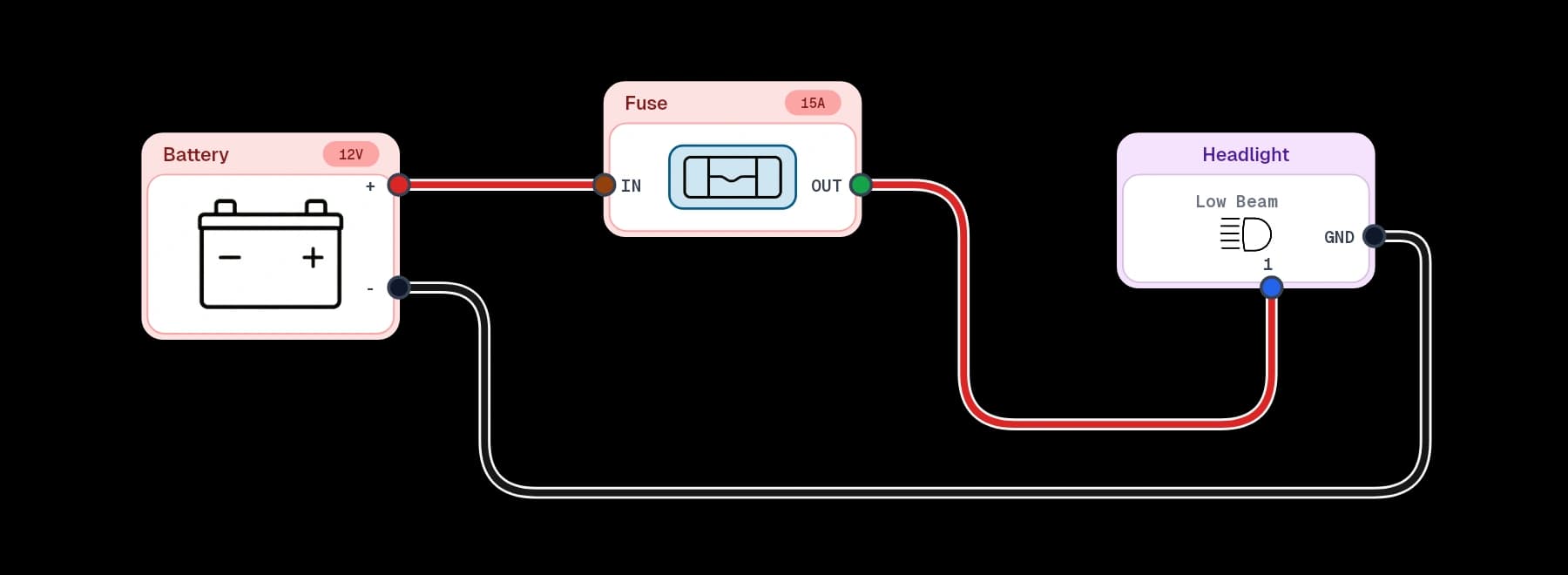
01 / Connect
Connect your AI tool
Open your AI tool’s MCP settings and add X/D Loom as a remote server. Use the endpoint below, choose Streamable HTTP, then connect and complete the X/D Loom browser sign-in. Your client must support OAuth.
Add https://xdloom.com/api/mcp as a remote Streamable HTTP server and complete the normal browser authorization flow. You never need to copy an OAuth token or account password into the client.
02 / Target
Copy the page you want AI to use
A diagram link tells the agent exactly which project and, when selected, which page you are talking about.
- 1
Open the diagram and select the page you want to discuss.
- 2
Find MCP in the editor sidebar and copy the displayed Diagram URL.
- 3
Paste the plain URL into your prompt. An @ prefix is not required.
Review this wiring page and check whether the relay circuit is complete.
03 / Capabilities
Work with the real diagram, not a screenshot
X/D Loom exposes a focused set of structured tools, so an agent can reason about diagram objects and connections directly.
Find diagrams
Find diagrams you own or that are actively shared with your account.
Understand a circuit
Read the latest pages, components, terminals, wires, sticky notes, groups, and page links.
Create a diagram
Create a complete one-page wiring diagram from X/D Loom catalogue parts.
Edit a live diagram
Add pages and work with components, terminals, wires, sticky notes, groups, and page links.
Export a diagram
Download the current page or every page as PNG, or export PDF when the diagram owner has Pro.
04 / Review
Live edits come with a way back
AI changes use the same live diagram as the web and iPad editors. You can watch them arrive without refreshing.
Atomic edits
A requested batch either completes together or leaves the diagram unchanged.
Conflict protection
If a person or another agent edits first, X/D Loom rejects the stale AI change and asks for a fresh read.
Restorable checkpoints
Every successful AI edit creates a checkpoint and an in-editor AI update notice with Restore and Dismiss actions.
Restore is deliberately unavailable after a later human or AI edit, preventing an old checkpoint from erasing newer work.
05 / Safety
Your existing access rules still apply
MCP adds a connected app, not a new sharing mode. X/D Loom checks the signed-in account and diagram role on every request.
- Owned and actively invited diagrams can be found by the connected client.
- Owners and editors can make changes; view-only collaborators cannot.
- Any authorized reader can export; the diagram owner's plan controls watermarking and PDF access.
- A copied diagram URL is an identifier, never a password or access grant.
- Your AI client may ask for its own approval before it runs a write tool.
Review authorized apps
Account settings distinguishes permission from actual MCP use. Disconnecting an AI app revokes its X/D Loom consent and access tokens.
06 / Troubleshoot
Connection and editing issues
Menu names differ between clients, but the endpoint, authorization flow, and diagram links stay the same.
The client asks for a command or package
Choose a remote or hosted MCP connection. X/D Loom uses Streamable HTTP and OAuth; a client that only accepts a local stdio command cannot connect directly.
The MCP URL is rejected
Enter the exact endpoint shown above. Do not use a diagram URL as the server address, append another path, or paste an access token into the configuration.
Sign-in loops or the client cannot see diagrams
Reconnect and complete the browser sign-in with the X/D Loom account that owns or has an active invitation to the diagram. Authorized AI Apps in account settings shows permission separately from Last MCP activity, so Never used means the client has not reached X/D Loom's tools yet.
VS Code Copilot opens the diagram in a browser
Open Copilot Chat in Agent mode, select Configure Tools, and enable the X/D Loom tools. To force the source of truth, type # and choose X/D Loom's get_wiring_diagram tool, plus edit_wiring_diagram when asking for a change. A browser window is expected for OAuth sign-in; opening and manipulating the diagram in a browser is not an MCP tool call.
VS Code has stale tools or stays unauthorized
Run MCP: List Servers and inspect X/D Loom's output, then run MCP: Reset Cached Tools and restart the server. For a stuck 401 or old dynamic registration, run Authentication: Remove Dynamic Authentication Providers, disconnect X/D Loom under Authorized AI Apps, and authorize it again.
The agent reads the wrong page
Select the intended page in X/D Loom, then copy the URL from the MCP section again. A page-specific link includes a page query so the agent does not have to guess which page you mean.
An edit reports that the diagram changed
Someone changed the live diagram after the agent read it. Ask the agent to read the page again and rebuild the edit from the new state. X/D Loom blocks the stale write instead of overwriting newer work.
An export is pending or its link expired
Export rendering runs in the background. If the tool reports pending, let the client retry the identical request after three seconds. Download links last five minutes and can be refreshed while the export is retained.
Still stuck?
Tell us which AI client you use and where the connection stops.