X/D Loom 2.0.0: Our biggest release yet
We've changed how you build and review your diagrams, added automatic layout tools, and made it possible to work on circuits with an AI assistant.
X/D Loom 2.0.0 is here, and it's our biggest release yet.
We've changed how you build and review your diagrams, added automatic layout tools, and made it possible to work on circuits with an AI assistant. There's also saved revision history, a rebuilt iPad canvas, and plenty of smaller improvements to everyday editing.
Three views of the same circuit
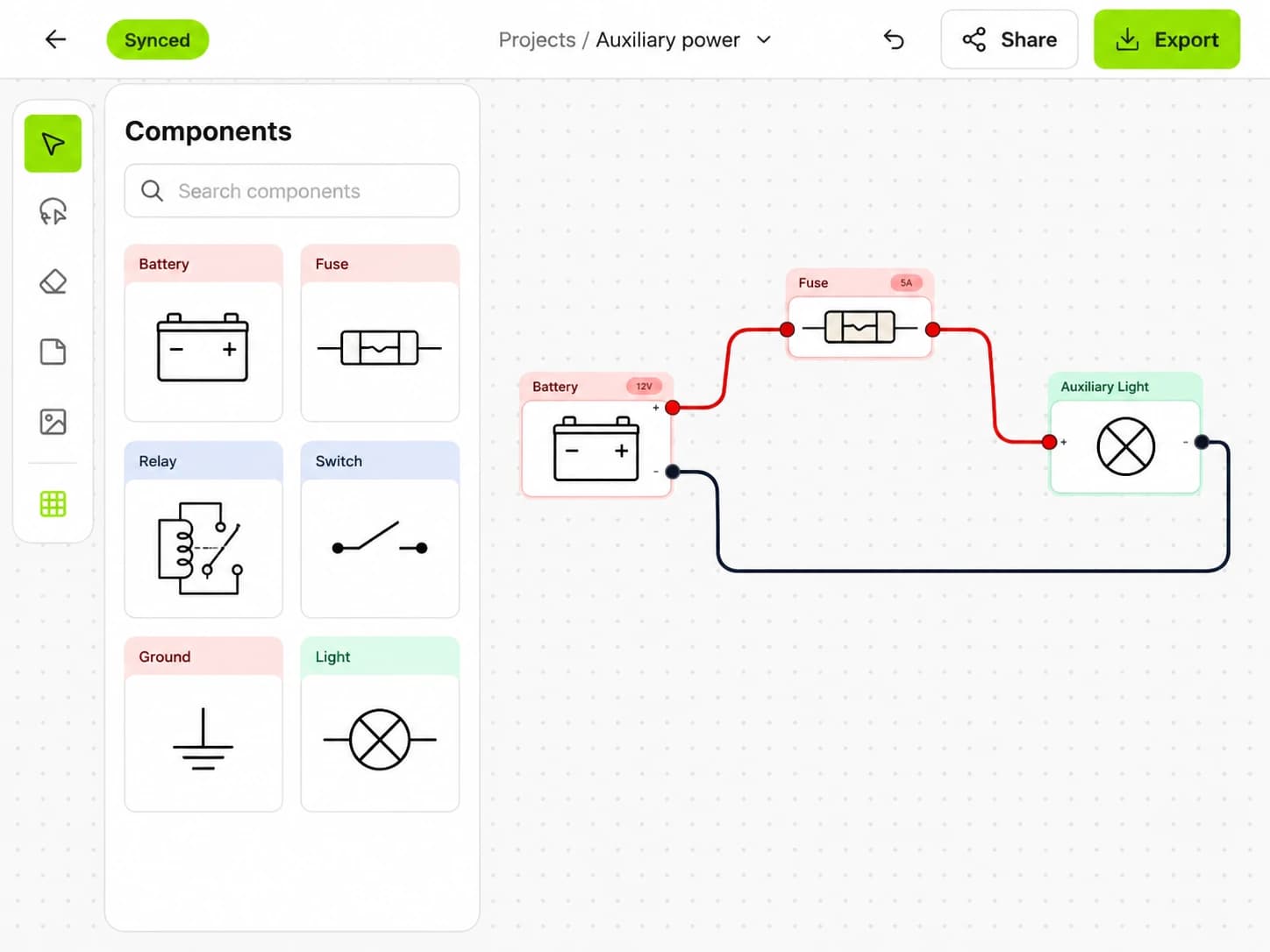
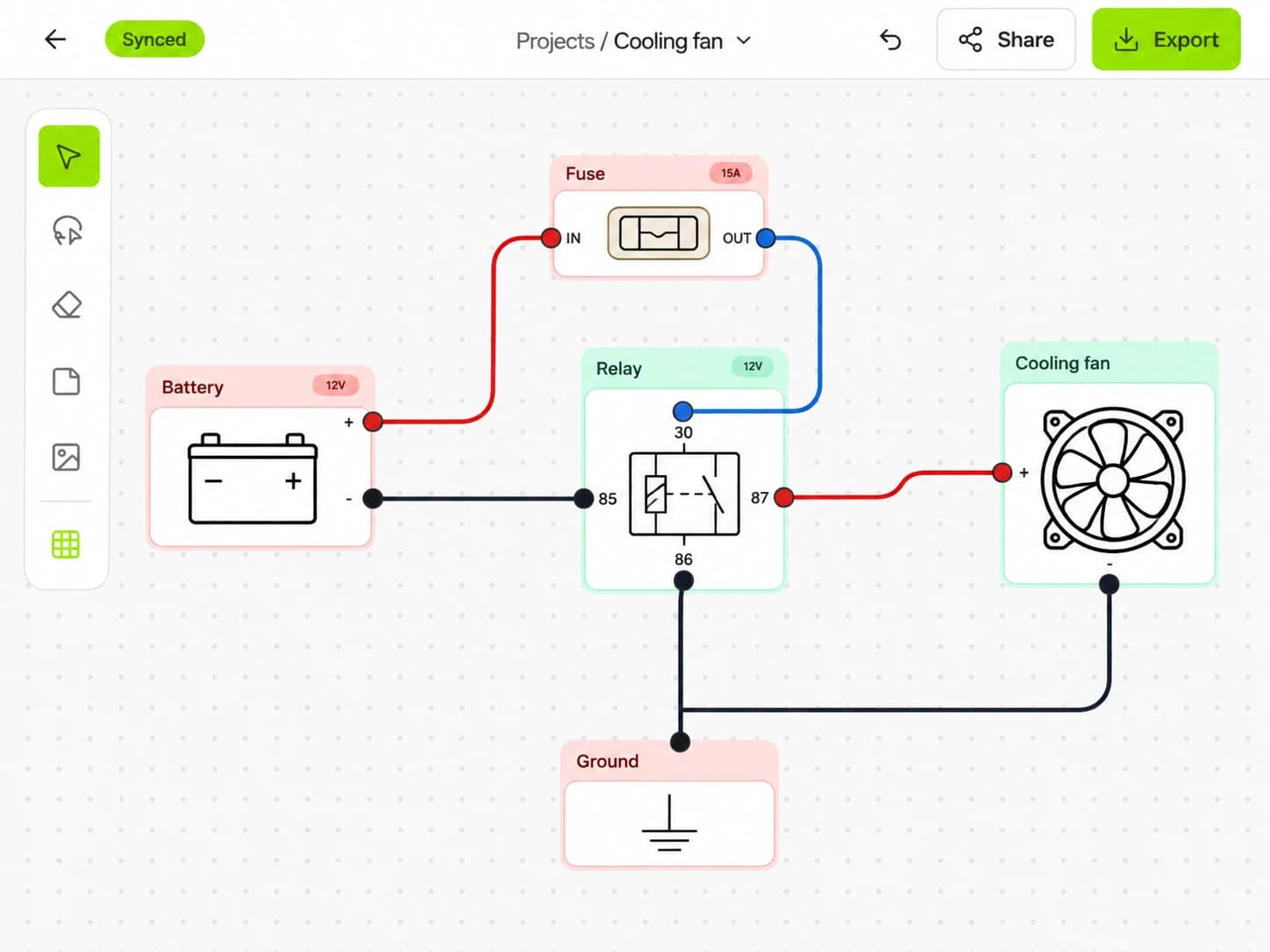
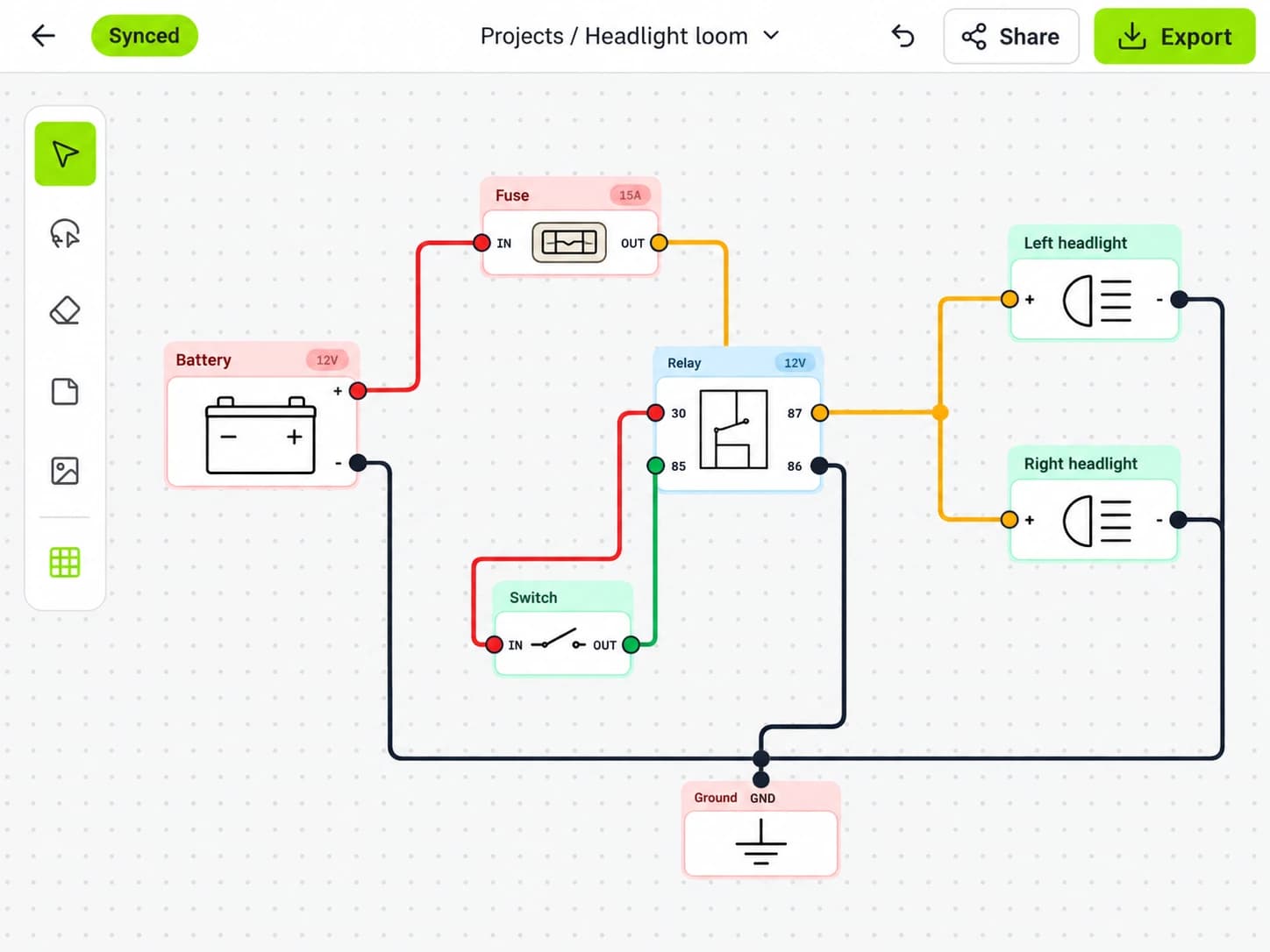
You can now switch between Design, Overview and Connections, each with a different job.
Design is where you build your circuit. Components have clear terminal rows with connection points on either side, so you can work through the wiring pin by pin. Click or tap a component name, terminal code or function to edit it directly on the canvas.
Overview turns that circuit into an automatically arranged pictorial drawing. Use it to inspect the circuit or prepare an export while keeping your working Design layout intact. Each view remembers its own zoom and position.
Connections brings the pinout report into its own full-page workspace. It shows components and pins across every page, including unwired pins, with links back to their position in Design. On web, you can search for a component, wire or destination.
The wiring stays the same whichever view you're using.
Automatic layout when you need it
Getting the connections right takes enough concentration without stopping to straighten every wire.
Overview handles the drawing layout automatically. In Design, the new Organize selection action lets you tidy a specific part of your circuit. Select the components you want to arrange, then let Loom reposition them and route their attached wires.
You stay in control of when it happens. Opening a diagram won't reorganise your saved work, and you can undo an arrangement if you prefer the previous layout.
We've also improved automatic wire routing and label placement to reduce clashes in busy diagrams.
Insert connectors into existing wiring
Adding a connector halfway through a circuit used to mean more manual rewiring.
Now you can select one or more wires, choose Insert connector, and place it along a suitable horizontal run. Loom splits the wires around the connector while keeping their colours, gauges, labels and existing bends. The whole insertion is one undo step.
Connector cards now show paired male and female contacts. You can flip the layout while keeping wires on their current side of the card.
Keep pinouts beside your work
Connector and relay pin views let you inspect the physical face and select a pin to see its connections.
You can also show a pinout directly on the canvas. Move the card beside the part of the circuit you're working on, and it stays linked to its component. Select a pin to highlight the attached wires.
Canvas pinout cards appear in drawing exports too, so you can take those references into the workshop.
Work with an AI assistant
The new MCP connection lets compatible AI assistants work directly with your X/D Loom diagrams.
You can ask an assistant to create a circuit, add components or change existing wiring. It can look up available component types, edit your diagram and generate an export. Compatible hosts can also display an interactive diagram preview inside the conversation.
Changes appear in the editor, where you can inspect the result. After an AI edit, you can restore the previous state as long as later changes haven't made that restore unsafe.
The editor shows assistant activity, and account settings let you review connected apps and disconnect them.
Review changes and restore earlier work
Revision history gives you a record of saved changes, including who made them and which AI client was involved.
Open an entry to review its change summary. If you have editing access, you can restore an earlier revision without deleting the history that came after it. Viewers can review the history too.
It's useful when you want to revisit an earlier circuit or understand what changed while someone else was working.
A rebuilt iPad canvas
The iPad editor now uses a native Metal canvas, with sharper text during zoom and less drawing work during dragging and panning.
Layout calculations run in the background, and the Connections report loads component cards as you scroll. We've also updated navigation, page tabs and the sharing dialogs.
Offline reliability has had particular attention. Fixes protect pending edits from older server responses and preserve locally cached images during sync. Sharing, history and AI panels now explain when they need a connection and refresh when you're back online.
More useful exports and everyday improvements
You can choose Design, Overview or Connections when exporting, independently of the view you have open. Export the current page or the whole diagram, include pinout cards, and choose whether notes, images and wire labels appear.
Notes and images also have controls for whether they appear in Overview and which component or group they belong with.
There are plenty of smaller additions:
- Copy and paste selections between diagrams, including images.
- Use Quick insert, page search and new keyboard shortcuts to move around the editor.
- Practise the basics in a guided web tutorial that doesn't use a diagram slot.
- Try interactive example diagrams without changing the originals.
- See updated dashboard previews that reflect your saved Design layout.
Tell us what you think
We'd love to hear how 2.0.0 works for you. What feels better? What's still awkward? What would save you time on your next wiring project?
Send your feedback, bug reports or feature ideas to [email protected].
Put it into practice.
Plan your next circuit in X/D Loom. Add components, connect the wires, and keep your build easy to follow.
Free to start. No credit card required.