Wiring Diagram Essentials for Automotive Projects.

If you've ever worked on a project car or tackled an electrical issue, you know that guessing where wires go is a recipe for disaster. A wiring diagram is your roadmap to understanding how electrical components connect, communicate, and power your vehicle. Whether you're installing a new stereo system, upgrading your headlights, or building a complete custom harness from scratch, having a clear visual guide makes the difference between a clean install and a tangled mess of wire spaghetti.
What Makes a Wiring Diagram Different
A wiring diagram shows the physical connections between electrical components in a system. Unlike schematic diagrams that focus on how circuits function theoretically, wiring diagrams emphasize the actual layout and routing of wires, connectors, and terminals. Think of it as the difference between a subway map (schematic) and a street map (wiring). The four types of wiring diagrams each serve specific purposes, but for automotive work, you'll mostly deal with pictorial and ladder-style diagrams.
Core Components You'll Find
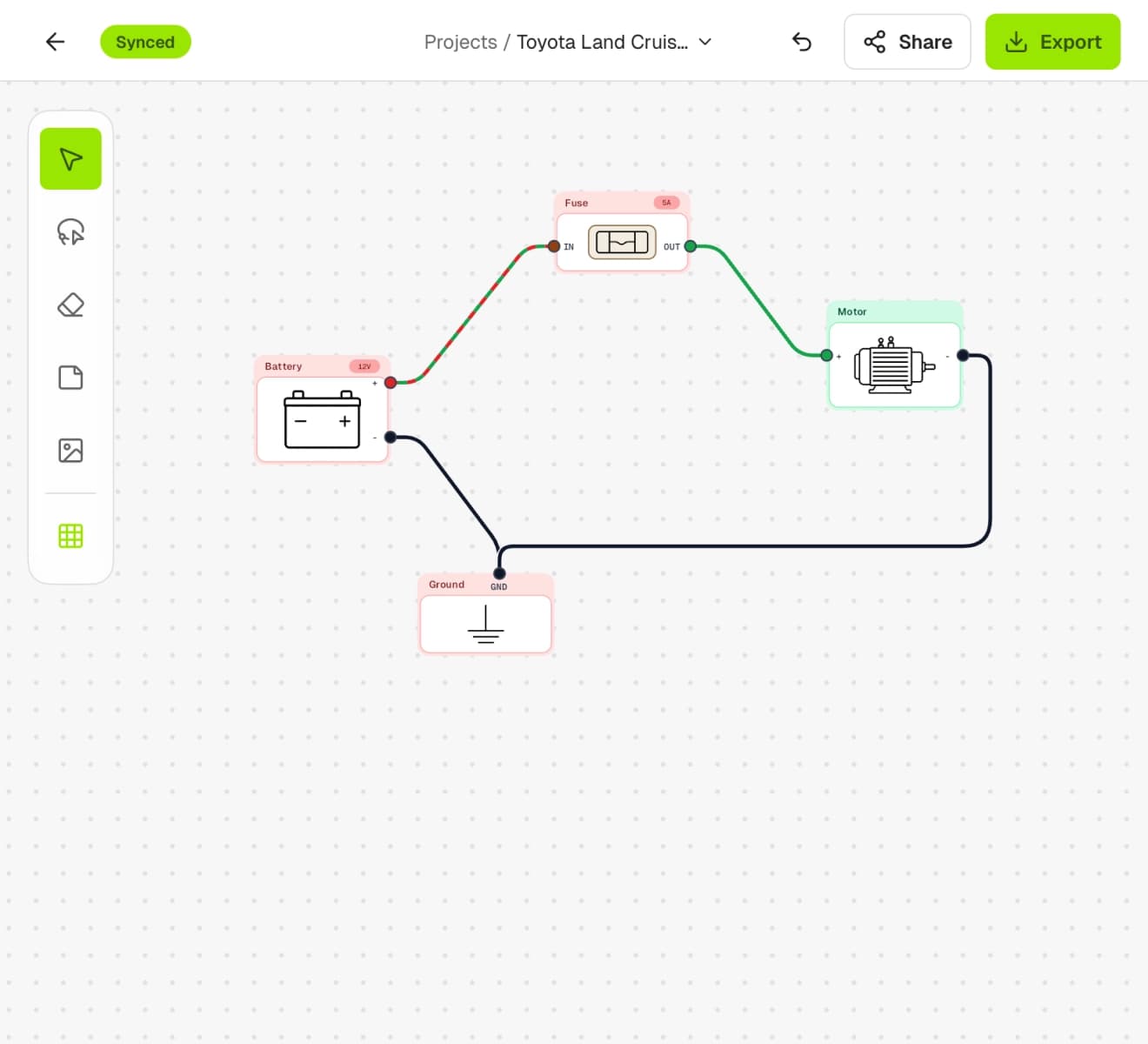
Every wiring diagram uses standardized symbols to represent components. Here's what you'll encounter most often:
- Power sources: Battery, alternator, fuse boxes
- Switches: Ignition, toggle, momentary contacts
- Loads: Lights, motors, solenoids, sensors
- Connectors: Splices, terminals, plugs
- Ground points: Chassis grounds, dedicated ground wires
The beauty of standardized symbols is that once you learn them, you can read any diagram regardless of who created it. Understanding wiring diagram symbols is like learning a universal language that translates across different vehicle makes and models.

Reading Diagrams Like a Pro
Looking at your first wiring diagram can feel overwhelming. There's a trick to it, though. Start by identifying the power source, then trace the path to the component you're interested in, and finally follow it to ground. Most automotive diagrams use color codes to indicate wire colors, which makes physical installation much easier.
Pay attention to wire gauge numbers too. A diagram might show 14AWG for a particular connection, telling you exactly what thickness wire you need. Ignoring this detail can lead to voltage drops or even fire hazards.
Element | What to Look For | Why It Matters |
|---|---|---|
Wire Color | Usually abbreviated (BLK, RED, YEL) | Matches physical wire during installation |
Wire Gauge | Number like 14, 16, 18 | Determines current capacity |
Connector Type | Deutsch, Weatherpack, etc. | Ensures proper mating connections |
Ground Points | G101, G202, chassis symbol | Critical for completing circuits |
Following the Flow
When reading vehicle electrical systems, always trace from positive to negative. Modern cars might have dozens of grounds and multiple power distribution points, but the principle stays the same. Each circuit must have a complete path from battery positive, through the load, and back to battery negative.
Creating Your Own Diagrams
Building a custom wiring diagram for your project car doesn't require a degree in electrical engineering. It does require patience, attention to detail, and the right tools. You can sketch on paper for simple circuits, but anything beyond basic lighting deserves proper documentation.
Start by listing every electrical component in your build. Engine management system, lighting, gauges, accessories-everything that uses power. Then map out how they'll connect to your power distribution and ground points.
Planning Your Layout
Here's a systematic approach that works:
- Identify all components and their power requirements
- Determine power sources (battery, alternator, auxiliary)
- Plan fuse and relay locations for circuit protection
- Map ground distribution to minimize ground loops
- Route wires logically to avoid heat and moving parts
- Document wire colors and gauges for future reference
Modern tools like X/D Loom's intuitive interface make this process significantly faster than traditional CAD programs or drawing by hand. The drag-and-drop approach means you can focus on the logic of your system rather than fighting with software.

Common Mistakes to Avoid
Even experienced builders make errors when working with electrical systems. The most common mistake? Not documenting changes. You'll modify circuits as you build-maybe you move a relay or add an extra ground point. If you don't update your diagram, you're creating headaches for future-you.
Another pitfall is mixing up signal wires with power wires on your diagram. Use different visual styles or colors to distinguish between high-current circuits (like starter motors) and low-current signals (like sensor wires). Learning from wiring diagram tutorials can help you avoid these rookie mistakes.
Documentation Standards Matter
Professional shops follow specific standards for a reason. Consistency makes troubleshooting faster and reduces errors during installation. Label every wire at both ends. Number your connectors. Create a clear legend that explains your color codes and symbols.
Think about who might work on your car five years from now. Will they understand your diagram? Can they trace a circuit without your help? Good documentation is like leaving breadcrumbs for your future self.
Digital Tools vs Traditional Methods
You could absolutely create diagrams with pencil and paper. Some folks swear by it for simple projects. But there's a reason the industry has moved to digital tools-they're faster, cleaner, and infinitely easier to modify.
Creating professional wiring diagrams used to require expensive CAD software and hours of training. Not anymore. Purpose-built tools designed specifically for automotive work understand the unique needs of car builders.
Why Modern Tools Win
Speed: Drag components from a library instead of drawing each symbol Accuracy: Automatic wire numbering and connection verification Flexibility: Easy revisions when you change your mind Portability: Access your diagrams from web or iPad wherever you work
The initial time investment in learning a proper diagramming tool pays dividends throughout your build. You'll catch errors before they become expensive mistakes, and you'll have professional documentation that adds value to your project.

Building With Confidence
The best builds combine solid planning with quality execution. Your wiring diagram is the foundation of that planning. It's not just about making things work-it's about making them work reliably, safely, and maintainably.
Take the time to create detailed diagrams before you start cutting and crimping wires. Mark up printed copies as you work. Take photos of critical connections. Future troubleshooting will thank you for every minute you invest in documentation now.
Whether you're rewiring a classic muscle car or building a modern track car from scratch, your electrical system deserves the same attention as your engine build or suspension setup. After all, the fastest car in the world won't move if the starter won't crank.
Mastering wiring diagrams transforms complex electrical projects from intimidating challenges into manageable, systematic builds. If you're ready to create professional-quality documentation for your automotive project, X/D Loom combines an intuitive drag-and-drop interface with a comprehensive component library designed specifically for project cars. Whether you're working at your desk or in the garage with your iPad, you'll have the tools to design, document, and build wiring looms with confidence.