RapidHarness Alternative for Hobbyists.

If you are looking for a RapidHarness alternative for hobbyists, the real question is not “which wiring tool has the longest feature list?” It is “which tool helps you finish a reliable 12V or 24V vehicle wiring job without turning your garage project into an engineering department?”
RapidHarness is a capable harness-design platform with strengths in formal wire-harness documentation, manufacturing outputs, and structured electrical CAD workflows. For companies designing production harnesses, those strengths matter.
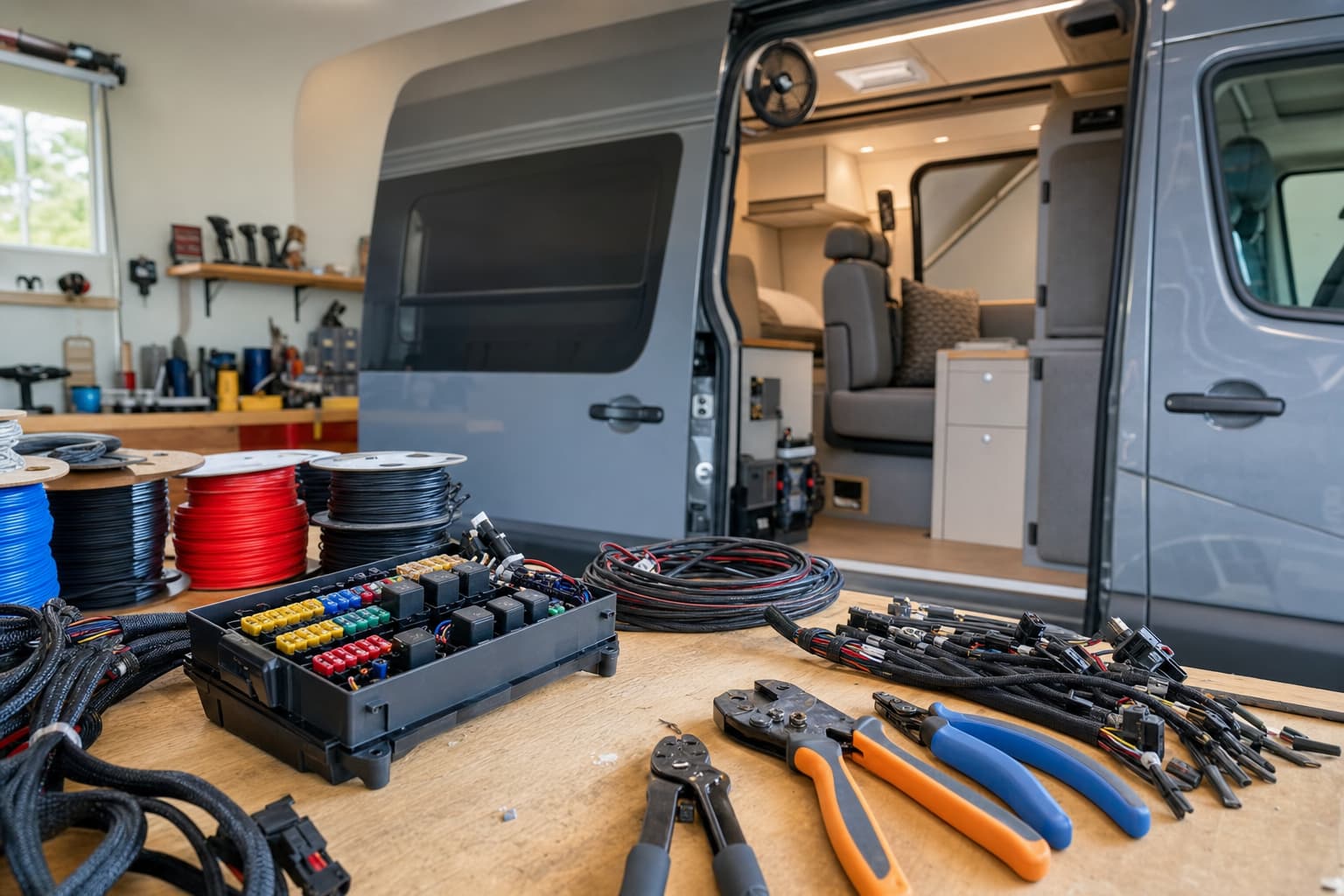
For a hobbyist building a camper van electrical system, rewiring a classic car, adding accessories to a 4x4, or planning a motorcycle loom, the priorities are usually different:
- Can I learn it quickly?
- Can I draw fuses, relays, batteries, switches, loads, and grounds clearly?
- Can I use it on the device I actually have in the garage?
- Can I avoid paying for manufacturing-level features I will not use?
- Can I export a diagram that I can build from later?
That is where the comparison becomes more practical than theoretical.
X/D Loom vs RapidHarness at a glance
For hobbyists, the biggest difference is positioning. RapidHarness is built around professional harness engineering. X/D Loom is built around automotive electrics and practical loom planning for builders working on cars, vans, boats, bikes, and off-road vehicles.
Category | X/D Loom | RapidHarness |
|---|---|---|
Best fit | DIY and professional vehicle electrical builds | Formal wire-harness design and production documentation |
Typical user | Hobbyists, upfitters, auto electricians, vehicle builders | Harness engineers, manufacturers, commercial design teams |
Learning curve | Designed to be approachable for vehicle wiring | More engineering-oriented and process-heavy |
Platform flexibility | Web and iPad, useful at the bench or in the vehicle | Check current platform support; generally aimed at desktop-style engineering work |
Cost fit for hobbyists | Much cheaper for most DIY users | Often better justified for commercial harness work |
Automotive 12V/24V focus | Strong fit for fuse boxes, relays, loads, circuits, looms | Strong harness documentation, but not always as hobby-project-friendly |
Manufacturing outputs | Useful diagrams and exports for building and sharing | Stronger if you need formal harness manufacturing documentation |
The short version: if you are designing harnesses as a product, RapidHarness may be the better match. If you are designing a one-off or small-run vehicle electrical system, a RapidHarness alternative for hobbyists is usually easier to justify.

RapidHarness alternative for hobbyists: what matters most
A hobbyist wiring project has a different risk profile than a commercial harness program.
You probably are not managing a team of harness engineers, procurement staff, production assemblers, and quality inspectors. You are more likely trying to answer questions like:
- What fuse size protects this branch?
- Where should this relay live?
- Which loads share an ignition-switched feed?
- How do I split house and starter battery circuits?
- Which wires run together through the same loom?
- What did I change last weekend?
- Can I explain this diagram to a friend or auto electrician?
A tool that is excellent for a production harness can feel heavy if your project is a single vehicle. You may spend time learning database fields, manufacturing conventions, and formal harness documentation rules before you have even mapped your fuse panel.
That does not make those features bad. It just means they may not be the features that move your project forward.
The hobbyist “fit” test
Before choosing software, ask these five questions:
- Will I use this tool once, or across many vehicles? If it is one build, ease of learning matters more than enterprise depth.
- Am I building the loom myself? If yes, you need clear practical diagrams, wire notes, circuit grouping, and exports you can keep beside the vehicle.
- Am I sending a harness package to a manufacturer? If yes, RapidHarness deserves a close look because formal harness documentation is one of its strengths.
- Will I work away from a desk? Vehicle wiring happens in the footwell, engine bay, boot, galley cabinet, locker, or under a seat. A tool that works well beyond a traditional PC setup can save friction.
- Do I need the cheapest workable option, or the most complete engineering environment? Hobby projects usually need the former. Commercial programs may need the latter.
Cost: paying for the features you actually need
Pricing changes, so always check the current pricing pages before deciding. But the pattern is clear: RapidHarness is aimed at professional harness design workflows, while X/D Loom is priced much more comfortably for individual builders and small workshops.
For hobbyists, “cheaper” is not just about the subscription cost. It is also about avoiding hidden time costs:
- Time spent learning features meant for production engineering
- Time spent setting up a process that is too formal for the project
- Time spent redrawing work because the tool is not natural for vehicle circuits
- Time spent moving between devices because the software is tied to one work style
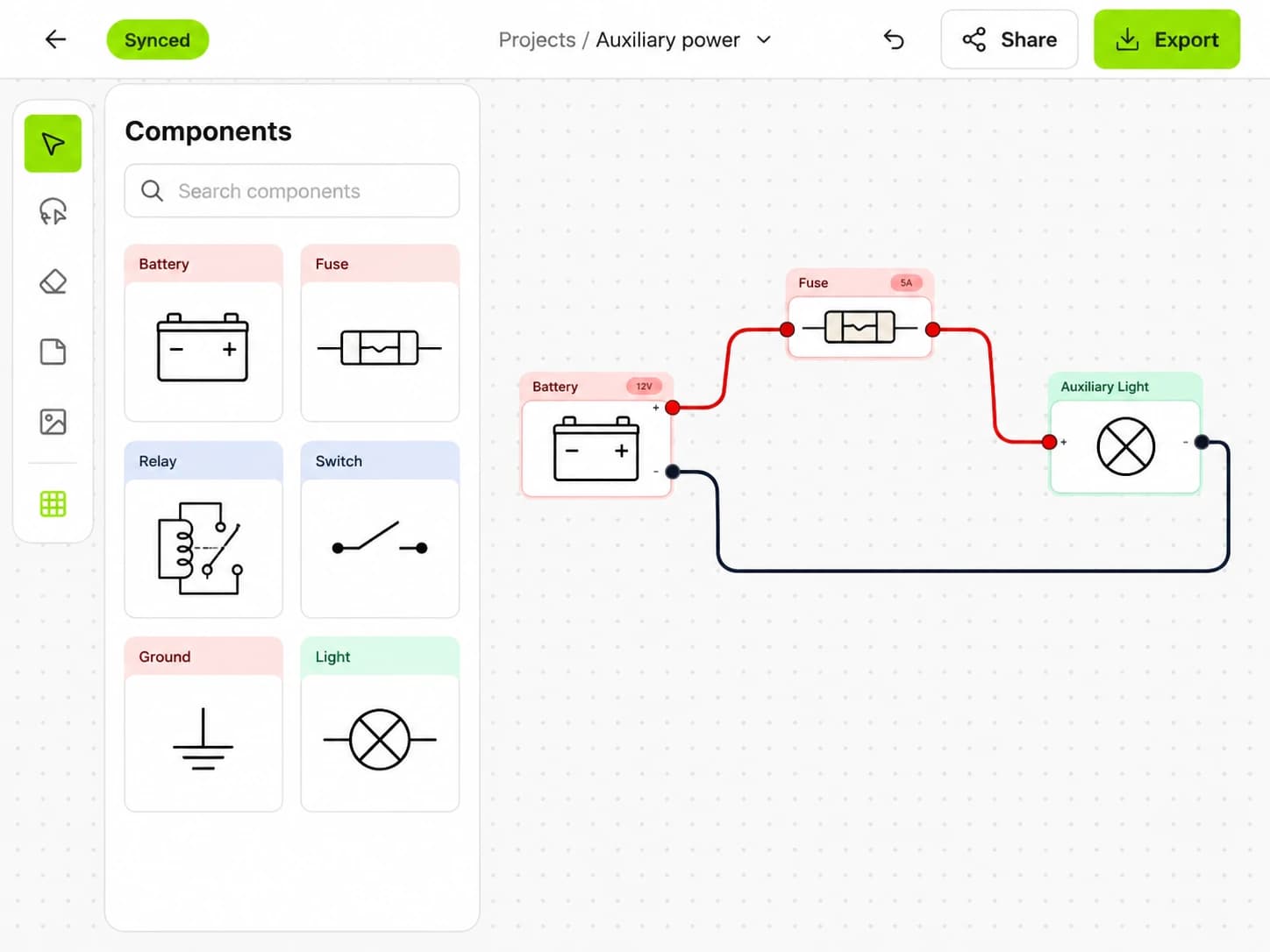
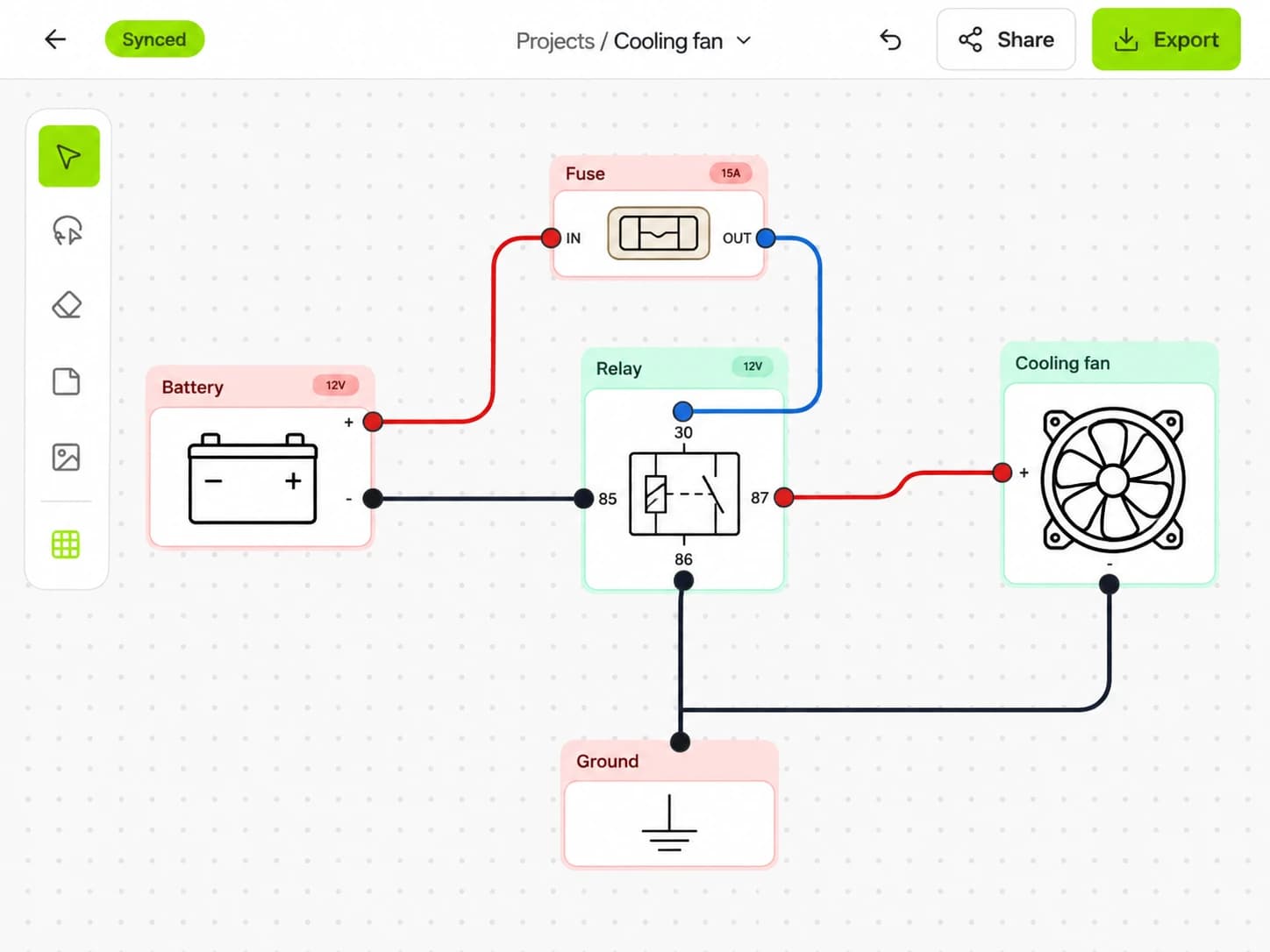
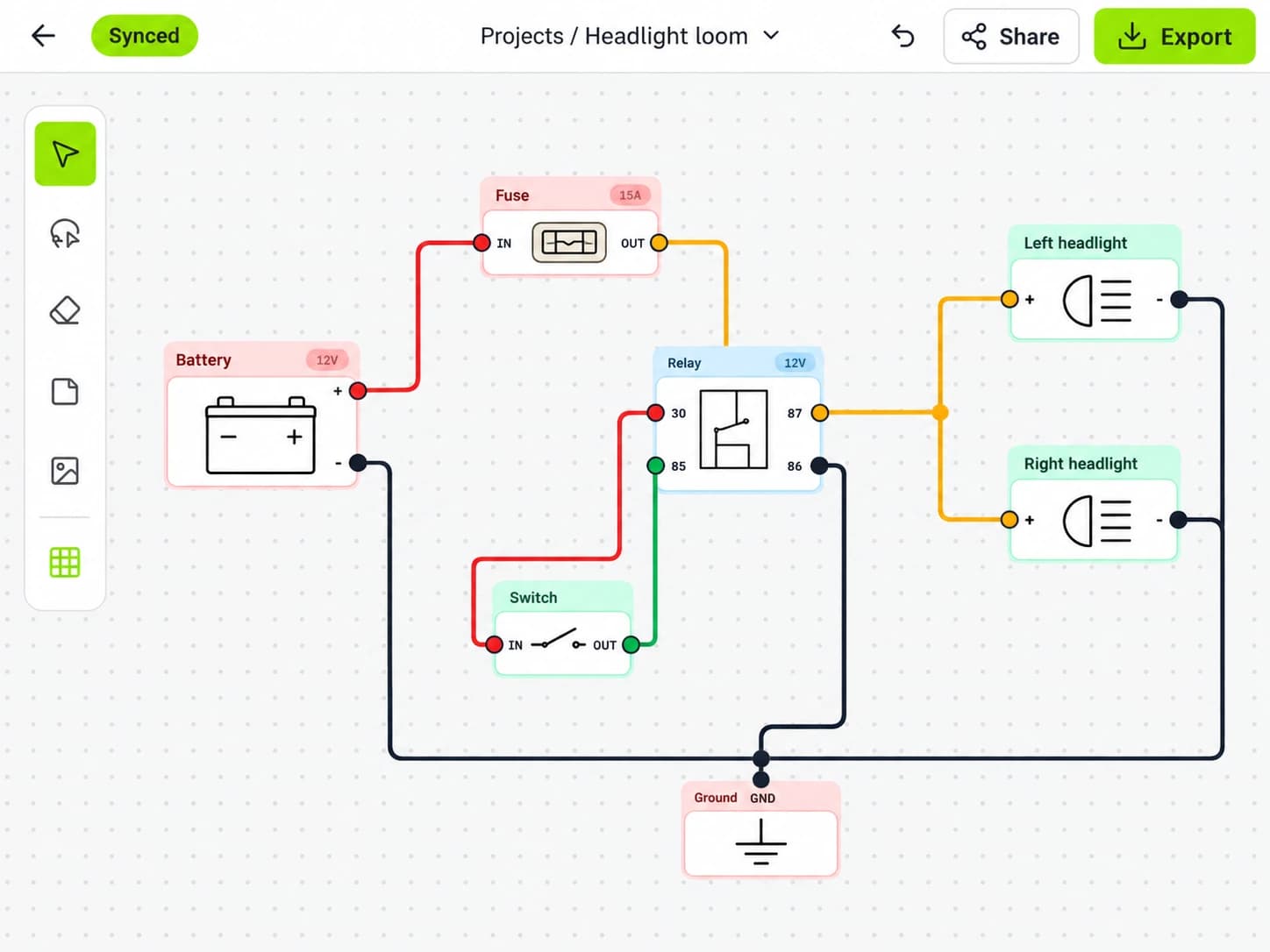
If you only need to plan an auxiliary battery system, lighting loom, compressor circuit, winch controls, fridge wiring, inverter feed, solar charging, or a classic-car rewire, you probably do not need a manufacturing-level harness platform.
A good RapidHarness alternative for hobbyists should keep the cost proportional to the project. That means paying for clear diagrams, practical circuit design, collaboration, and exports — not for a full commercial harness workflow you may never use.
Ease of use: circuit planning vs harness engineering
Hobbyists often start from the circuit, not the harness.
You might know that you need:
- Battery to main fuse
- Fuse box to switch panel
- Relay to driving lights
- DC-DC charger to house battery
- Busbar to accessory branches
- Grounds returning to a chassis point or negative bus
Only later do you decide exactly which wires share a conduit, where the loom passes through a bulkhead, and how the final branches are bundled.
That circuit-first approach is natural for vehicle builders. You think in systems: starting, charging, lighting, accessories, camping loads, navigation, pumps, fans, communications, and safety cutoffs.
RapidHarness can document complex harnesses well, but its deeper engineering structure can be more than a hobbyist wants at the early planning stage. If your main goal is to understand and build the electrical system, simplicity matters.
Signs a tool is too complex for your build
A wiring tool may be overkill if you find yourself doing more software administration than electrical planning. Watch for these signs:
- You need a long setup process before drawing useful circuits.
- You are forced into manufacturing details before you know the layout.
- You avoid updating the diagram because making changes feels slow.
- You keep a separate paper sketch because the software is not quick enough.
- You cannot easily review the plan in the garage or vehicle.
For a hobby build, the best software is the one you will actually keep updated. An accurate simple diagram is far more valuable than an abandoned perfect model.
Platform flexibility: not just at a PC
Vehicle electrical work does not happen only at a desk.
You may plan the system at a kitchen table, measure cable runs in the driveway, check fuse locations in the engine bay, or revise the loom layout while sitting inside a half-built camper. That is why device flexibility matters.
A tool available on the web and iPad is useful because you can move between planning and building without constantly printing drafts or carrying a laptop into awkward spaces. You can review the circuit while standing beside the fuse box, then make notes before you forget why a wire changed route.
When comparing RapidHarness, check the current supported devices and browsers for your workflow. It may suit you well if you prefer a desktop engineering environment. But if your build process is mobile, hands-on, and garage-based, “not just for PC” is a meaningful advantage.

Where RapidHarness is stronger
A fair comparison should acknowledge where RapidHarness shines.
RapidHarness is worth considering if you need:
- Formal wire-harness drawings
- Manufacturing-oriented documentation
- Detailed harness assembly information
- Stronger production workflow support
- Structured outputs for a team or supplier
- A more engineering-led design process
For example, if you are designing a harness that will be repeatedly manufactured, assembled by someone else, quoted by suppliers, and controlled as part of a formal product, RapidHarness may be a better fit.
It can also be useful for builders who enjoy detailed harness CAD and want to learn a professional workflow. Some hobbyists do want that level of control, especially if they are moving toward a business.
The tradeoff is that this strength can become overhead when the job is a single vehicle. If your goal is to wire your own van, boat, bike, or 4x4 safely and clearly, you may not need the same tool as a harness manufacturer.
Where a hobbyist-focused tool is stronger
A practical RapidHarness alternative for hobbyists should make the common vehicle-wiring jobs feel direct.
That includes planning:
- Auxiliary fuse panels
- Relay-controlled lighting circuits
- Accessory switch panels
- Dual-battery and DC-DC charging systems
- Solar and inverter feeds
- Bilge pumps and marine distribution panels
- Motorcycle lighting and ignition circuits
- Classic-car rewires
- Earth points and busbars
- Loom routing through body panels, cabinets, or engine bays
These projects need clarity more than complexity.
A hobbyist-focused workflow should let you answer build questions quickly:
- What wire leaves this fuse?
- What does this switch control?
- Is the relay coil fused?
- Where does the load ground?
- Which circuits are always live?
- Which circuits are ignition-switched?
- What changes if I move this fuse box?
The faster you can answer those questions, the less likely you are to make wiring decisions from memory.
Collaboration: even hobby projects are rarely solo
Many DIY electrical projects involve more than one person.
You may be working with:
- A friend helping on weekends
- A partner who needs to understand the camper systems
- An auto electrician checking your plan
- A fabricator routing conduit or panels
- A customer, if you are a small upfitter
Real-time collaboration is helpful here because the wiring plan becomes a shared source of truth. Instead of sending static files back and forth, you can discuss the same circuit and update it as decisions change.
For hobbyists, collaboration does not need to be enterprise-grade. It just needs to prevent confusion. If everyone can see the latest diagram, you are less likely to build from an old sketch or miss a change to fuse location, relay control, or ground routing.
Exports and documentation: what you need after the build
A wiring diagram is not only for the build day. It is for future troubleshooting.
Six months later, when a fridge circuit trips, a light bar stops working, or a bilge pump behaves oddly, you will want a diagram that shows what you actually built.
At minimum, a hobbyist should be able to export documentation that records:
- Fuse and breaker locations
- Wire paths and circuit branches
- Relay positions and control logic
- Switch connections
- Ground points
- Loads and accessories
- Notes about wire size, color, or routing where relevant
RapidHarness is strong when you need formal manufacturing documentation. For a DIY vehicle, the more important requirement is that the export is understandable to the person holding a multimeter in the vehicle.
Do not underestimate this. A readable diagram can save hours of fault-finding later.
Which should you choose?
Choose RapidHarness if:
- You are designing production harnesses.
- You need formal harness manufacturing documentation.
- You work in a commercial engineering process.
- You are collaborating with suppliers or assemblers.
- You want a deeper harness CAD workflow and are willing to learn it.
Choose a hobbyist-focused alternative if:
- You are wiring one vehicle or a small number of similar builds.
- You want something cheaper and easier to learn.
- You mainly work with 12V or 24V automotive-style circuits.
- You need to plan fuse boxes, relays, switches, batteries, and looms.
- You want to work from a browser or iPad, not only from a desk.
- You care more about a clear buildable diagram than a manufacturing package.
For many DIY builders, the second list is the reality.
Practical decision checklist
Before committing, map your project into three columns:
Question | If your answer is “yes” | What it suggests |
|---|---|---|
Will this harness be manufactured repeatedly? | Yes | Consider RapidHarness |
Is this a one-off vehicle build? | Yes | Consider a cheaper hobbyist-focused tool |
Do you need formal assembly documentation? | Yes | RapidHarness may be stronger |
Do you need fast circuit planning for fuses and relays? | Yes | A vehicle-focused tool may be easier |
Will you work in the vehicle with a tablet? | Yes | Prioritize web and iPad support |
Are you new to wiring software? | Yes | Prioritize ease of use |
Is budget a major factor? | Yes | Avoid paying for unused enterprise-level features |
This checklist is intentionally simple. Hobbyists do not need to win a feature-count contest. They need software that matches the way they build.
Conclusion
RapidHarness is a strong tool for serious harness engineering, especially when manufacturing documentation and formal process matter. But for hobbyists wiring vehicles, it can be more tool than the project requires.
If you want a cheaper, easier, vehicle-focused way to plan 12V and 24V circuits on the web or iPad, X/D Loom is a practical RapidHarness alternative for hobbyists.
Try it for your next build at https://xdloom.com.