Automotive Wiring Diagram Software: X/D Loom vs SmartDraw.

If you’re choosing automotive wiring diagram software for a car, 4x4, camper van, boat, or motorcycle project, the key question is not simply “which app can draw lines?” It’s which tool helps you design a circuit you can actually build, troubleshoot, and update later.
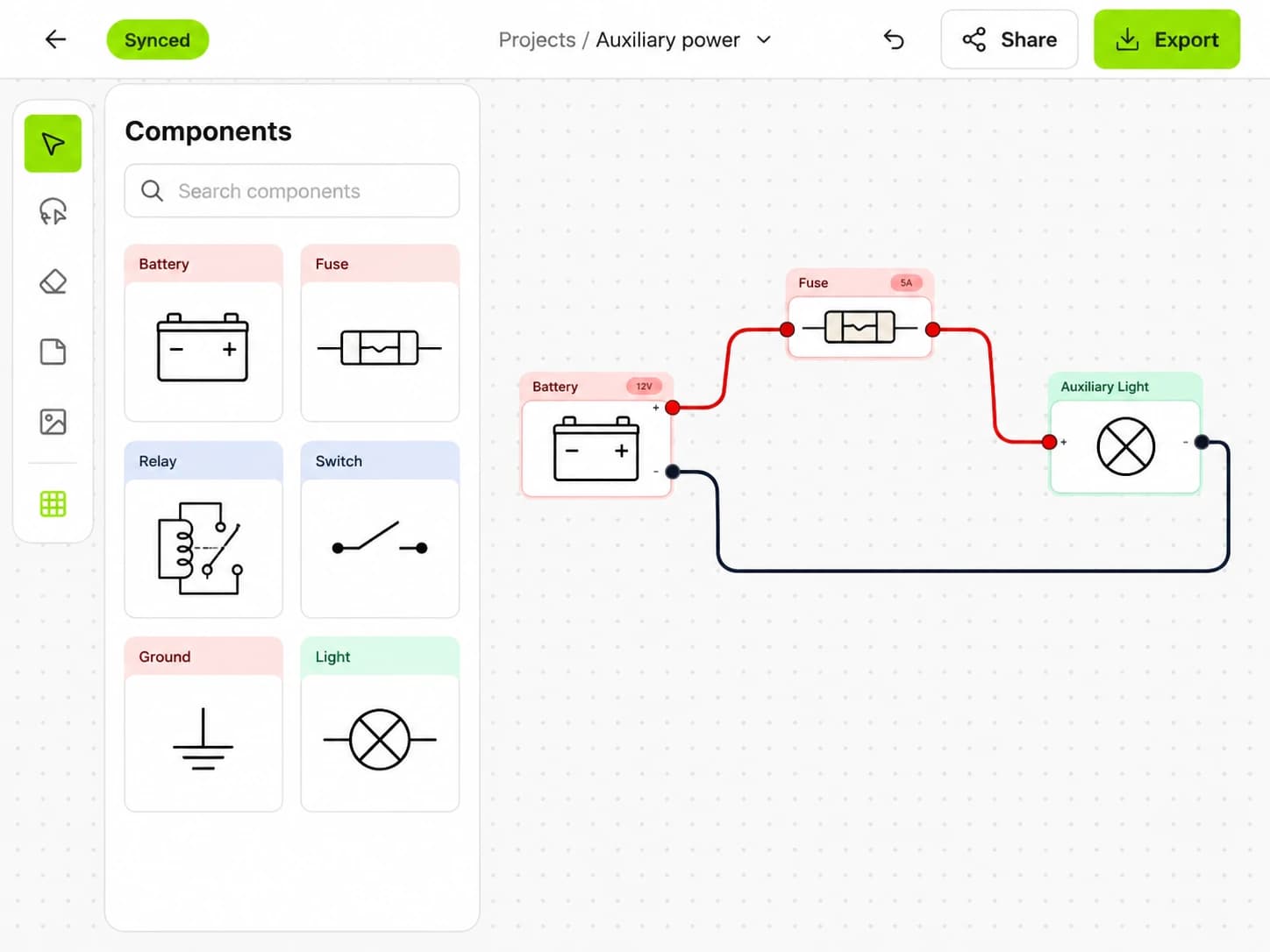
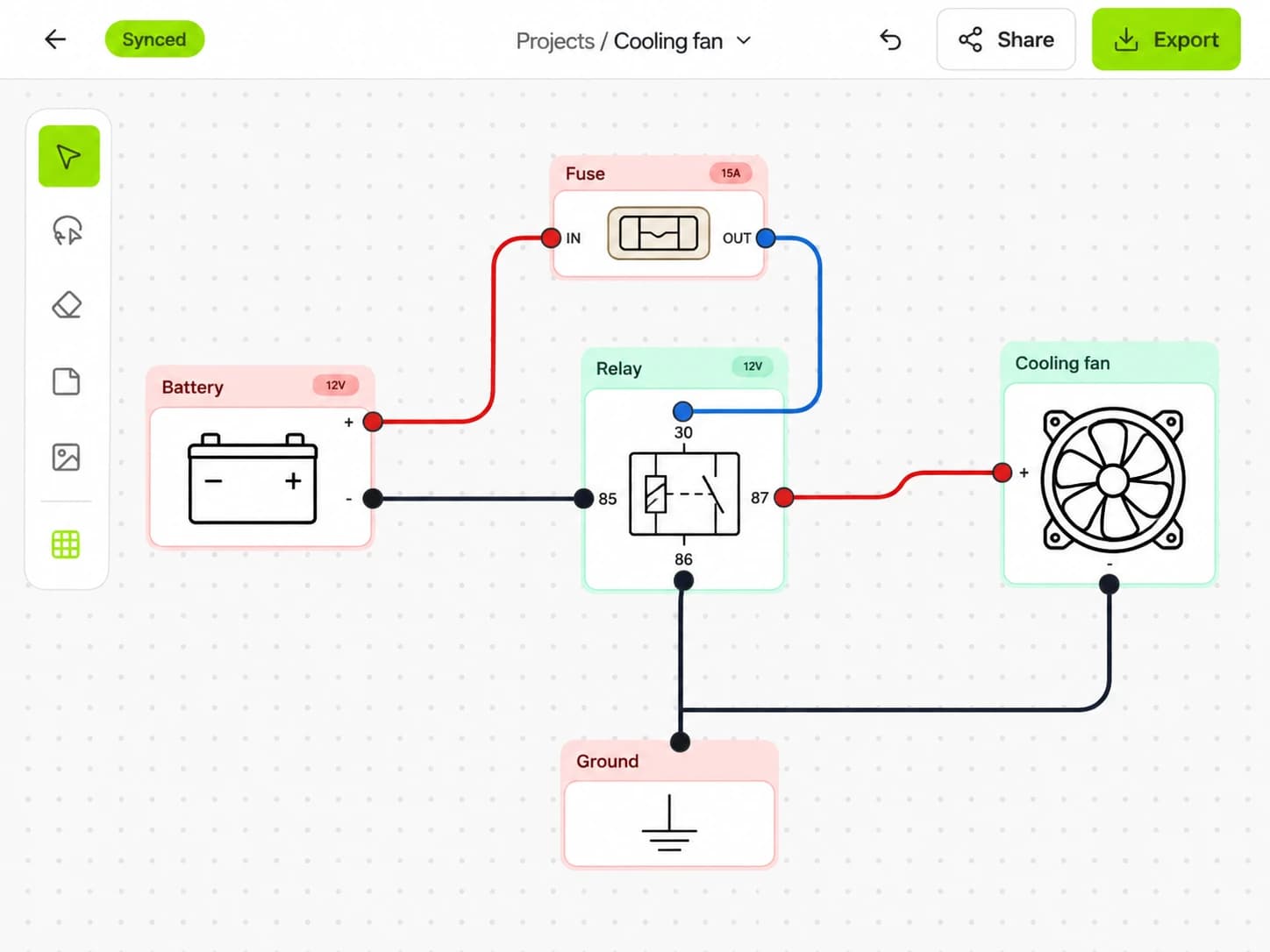
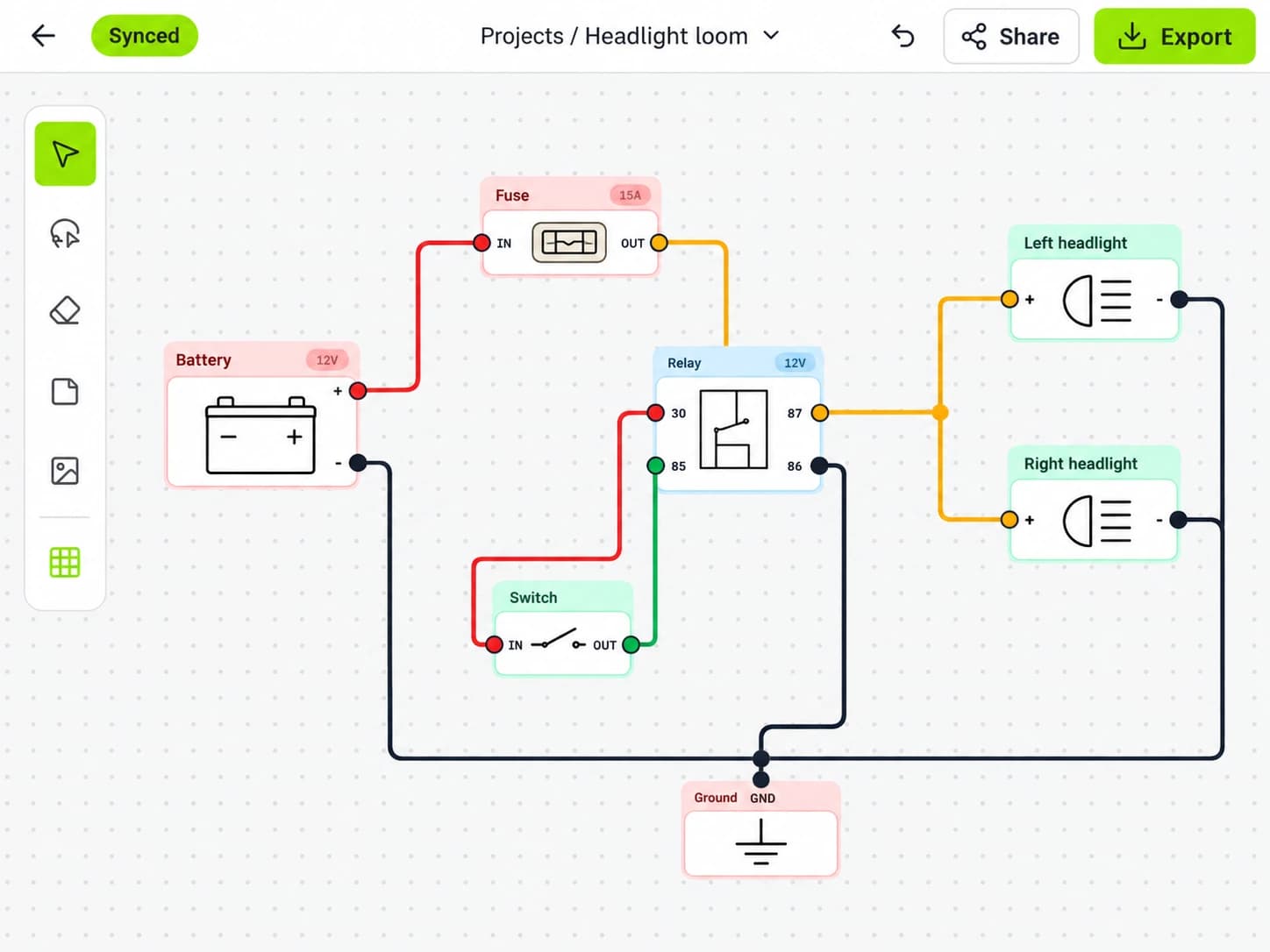
SmartDraw is a capable general-purpose diagramming application. It is useful for many business and technical drawings, and it can be adapted for basic electrical layouts. X/D Loom, by contrast, is purpose-built for vehicle wiring diagrams: 12V and 24V systems, fuse boxes, relays, switches, loads, and looms.
That difference matters. Automotive wiring is not just a diagramming problem. It is a build-planning problem.

X/D Loom vs SmartDraw for automotive wiring diagram software
The short version: choose SmartDraw if you need a broad diagramming tool for many types of documents and your vehicle wiring needs are light. Choose a vehicle-specific tool if the diagram is going to guide a real loom build, fuse panel layout, accessory install, or upfit.
Here is the practical comparison:
Area | X/D Loom | SmartDraw |
|---|---|---|
Primary purpose | Automotive and marine-style electrical diagrams | General diagramming across many industries |
Best fit | Vehicle circuits, fuse boxes, relays, looms, 12V/24V builds | Flowcharts, org charts, floor plans, general technical drawings |
Automotive symbols and workflow | Built around vehicle electrical planning | Possible, but more manual setup |
iPad use | Available on iPad | Not available as an iPad app |
Collaboration | Designed for shared wiring work | Strong general collaboration/document sharing options |
Learning curve | Focused around wiring concepts | Familiar if you already use general drawing tools |
Build handoff | Geared toward installers and builders | Depends on how carefully you structure the drawing |
Neither category is automatically “better.” The right choice depends on the job.
For a one-page concept sketch, a general tool can be enough. For a full auxiliary power system, camper conversion, race car rewire, dual-battery install, boat switch panel, or motorcycle loom, the automotive-specific workflow becomes much more valuable.
What makes vehicle wiring different from normal diagrams?
A wiring diagram for a vehicle has to do more than look tidy. It has to answer practical questions while you are standing in the garage with wire, terminals, heat shrink, and a fuse box in front of you.
A useful automotive diagram should make these things clear:
- What powers each circuit
- Where each fuse or breaker sits
- What relay controls each load
- Which switches trigger which devices
- What wire runs from one physical area to another
- Which grounds are shared or separate
- How accessories are grouped
- What happens if a circuit fails
- How the system can be serviced later
General diagramming tools can represent this information, but you often need to create the structure yourself. You may spend time building symbol libraries, formatting connectors, aligning shapes, and keeping line styles consistent.
Purpose-built automotive wiring diagram software reduces that friction because the drawing model matches the job: components, circuits, protection, and looms.
SmartDraw’s strengths
SmartDraw is not a weak tool. It is popular because it covers a wide range of diagram types and can produce polished documents without needing specialist CAD skills.
For some builders, that is enough.
SmartDraw may make sense when:
- You already use it for other work
- You need a quick visual overview rather than a detailed build diagram
- Your electrical system is small and simple
- You want to combine wiring notes with other planning documents
- You are making a presentation-style drawing for a non-technical audience
It is also useful when the wiring is only one part of a larger document set. For example, an upfitter might use a general diagramming tool for workflow charts, facility layouts, installation checklists, and customer-facing documentation.
The tradeoff is that automotive electrical detail can become manual. If you need to revise fuse positions, split circuits, rename loads, or keep a loom layout consistent across a project, you may find yourself managing the diagram more than designing the system.
Where a purpose-built vehicle wiring tool helps
A vehicle wiring project changes constantly as the build develops.
You might start with a fridge, lights, USB outlets, and a water pump. Then you add an inverter. Then solar. Then a winch isolator. Then a compressor. Then you decide the rear work lights should be switched from both the cab and the cargo area.
Each change affects fuse sizing, relay logic, switch placement, wire routing, and future troubleshooting.
That is where X/D Loom’s narrower focus helps: the software is centered on the way vehicle electrical systems are planned and communicated, rather than treating the wiring diagram as just another drawing canvas.
For real-world builds, that can save time in several places:
- Laying out circuits in a way installers can follow
- Keeping fuse boxes and loads organized
- Planning looms by vehicle area
- Sharing diagrams with a builder, customer, or teammate
- Revising the design without redrawing everything from scratch
- Exporting a clean diagram for the workshop or job folder
The point is not that a generalist app cannot draw a vehicle circuit. It can. The point is that automotive wiring has its own logic, and a focused tool can keep that logic front and center.
iPad and workshop use
This is one of the clearest differences.
SmartDraw is a web and desktop-oriented general diagramming product, but it is not available as an iPad app. If your workflow depends on an iPad in the garage, van, boatyard, or customer vehicle, that matters.
An iPad is useful for automotive wiring because the work rarely happens only at a desk. You may want to check a diagram while:
- Sitting in the cab tracing switch wiring
- Working near a rear electrical panel
- Planning cable routes through a camper van
- Reviewing a loom path beside the vehicle
- Talking through changes with a customer or teammate
A laptop can do that too, but an iPad is often easier in tight spaces and cleaner around tools, dust, and trim panels.
If your wiring design process happens mostly at a desk, this may not be decisive. If you like designing and reviewing directly in the workshop, it should be part of the decision.
Symbols, components, and conventions
For automotive work, the value of a diagram is tied to consistency.
If a relay is drawn one way on page one and another way on page two, the diagram becomes harder to trust. If fuses are represented differently across circuits, troubleshooting takes longer. If grounds are scattered without a clear convention, future service becomes guesswork.
In SmartDraw, you can build a consistent visual language, especially if you are disciplined and create reusable shapes. This is workable for many users.
However, it is still a general environment. Automotive-specific conventions are something you bring to the tool.
A vehicle-focused workflow is more direct for things like:
- Fuse and relay organization
- Load grouping
- Switch-controlled circuits
- Accessory power distribution
- Ground planning
- Loom segmentation
- Service-friendly diagram exports
This matters more as the system grows. A simple light bar circuit may not justify much structure. A full auxiliary system absolutely does.
Collaboration and handoff
Collaboration is not only about multiple people editing a document. In wiring work, collaboration usually means getting the right information to the right person at the right time.
That person might be:
- A customer approving an accessory layout
- An auto electrician checking your circuit plan
- A fabricator deciding where a panel can fit
- A teammate building the loom
- Your future self diagnosing a fault six months later
SmartDraw has strong general document-sharing use cases. If your team already uses it, that familiarity is a real advantage.
For vehicle wiring, though, the handoff needs to preserve electrical intent. The diagram should show not only where lines go, but how the system is protected, switched, grouped, and serviced.
Before choosing any automotive wiring diagram software, ask what the final output must do:
- Will someone build from it?
- Will it be printed and kept in the vehicle?
- Will it be revised after installation?
- Will it be shared with a customer?
- Will it help diagnose a fault later?
If the answer is yes to several of those, choose the tool that makes those outcomes easiest.

Example: camper van auxiliary power system
Consider a typical camper van electrical system:
- Starter battery feed or DC-DC charger
- Auxiliary battery
- Main fuse or breaker
- Fuse block
- Fridge
- Interior lights
- Roof fan
- Water pump
- USB and 12V outlets
- Inverter
- Solar input
- Ground bus
- Optional shore charging
In a general diagramming tool, you can draw this system as boxes and lines. That may be enough for a concept drawing.
But once the build becomes real, you need more detail:
- Which loads are always live?
- Which are switched?
- Which circuits share a ground return?
- Which wires run to the rear of the van?
- Where does the fuse block live physically?
- What needs to be accessible for service?
- What gets disconnected during maintenance?
A purpose-built wiring tool helps keep those decisions attached to the circuit design instead of scattered across notes, spreadsheets, and rough sketches.
Example: 4x4 accessory wiring
A 4x4 build creates a different set of challenges:
- Winch control and isolation
- Driving lights
- Work lights
- Compressor
- Radio
- Fridge feed
- Trailer power
- Rear accessory panel
- Roof rack wiring
- Waterproof connectors
- Engine bay heat and vibration
The diagram has to reflect both electrical logic and vehicle layout. A circuit may start at the battery, pass through an engine bay fuse, cross the firewall, reach a switch panel, trigger a relay, and then run to a load at the bumper or roof rack.
That is where a neat generic drawing can still fall short. It may show the connection, but not enough about the build path. For off-road vehicles, serviceability matters because faults often happen away from the workshop.
A good wiring diagram should make it easy to answer: “Where do I test first?”
When SmartDraw is the better choice
SmartDraw can be the better fit when the wiring portion is light or when your main need is general documentation.
Choose SmartDraw if:
- You need one tool for many diagram types
- Your wiring diagram is mostly conceptual
- You are not building a detailed loom from the drawing
- Your team already has a SmartDraw workflow
- You value broad templates over vehicle-specific structure
For example, a shop owner making a simple installation overview for a customer might prefer the flexibility of a general diagramming tool. A project manager preparing a mixed document set may also benefit from using one application for everything.
That is a valid use case.
When a vehicle-specific tool is the better choice
Choose purpose-built automotive wiring diagram software if:
- The diagram will guide an actual installation
- You are designing more than a few circuits
- Fuse and relay organization matters
- You need to revise the system during the build
- You want diagrams that remain useful for troubleshooting
- You work on cars, camper vans, boats, motorcycles, or 4x4s regularly
- You want to review or edit diagrams on an iPad in the workshop
The more the diagram needs to behave like a build document, the more a specialist tool makes sense.
Decision checklist
Before committing, run through this checklist:
Question | If yes, lean toward |
|---|---|
Do you need flowcharts, office diagrams, and general visuals too? | SmartDraw |
Is the wiring diagram for a real vehicle build? | Vehicle-specific software |
Will the system include multiple fuses, relays, switches, and loads? | Vehicle-specific software |
Do you already have a SmartDraw-based team workflow? | SmartDraw |
Do you need iPad access in the garage or vehicle? | Vehicle-specific software |
Will someone troubleshoot from the diagram later? | Vehicle-specific software |
Is this only a quick concept sketch? | SmartDraw |
Conclusion
SmartDraw is a strong general diagramming tool, and it can work for simple automotive wiring visuals. But for serious vehicle electrical projects, the better choice is usually software built around circuits, protection, looms, and real installation workflows.
If you are planning a car, 4x4, camper van, boat, or motorcycle wiring project, try X/D Loom and build your next diagram around the way vehicle electrics actually work.